Posts

Showing posts with the label Blockchain

Developing a Voting Smart Contract in Solidity using Remix IDE | Blockchain Tutorials

Image
  Photo by Arnaud Jaegers on Unsplash      Hello, so in this tutorial we will be developing the smart contract for voting. Whenever we talk about decentralized applications or dapps, voting is one of the best use cases for it. In centralized voting system there are many issues such as manipulation of votes or system by the authority who has the control. But by the help of blockchain we can bring transparency along with privacy to the voting application.      So lets start with our code, we will understand various sections of our code one by one.  So the first line of code we will be defining the licensing that we will be using for the code. You can make your code free to use or you make your code copyrighted using different license options. // SPDX-License-Identifier: MIT Next we will add the compiler version. This will tell the IDE that on which compiler version we need to compile our code on. Depending on your code or code components ...
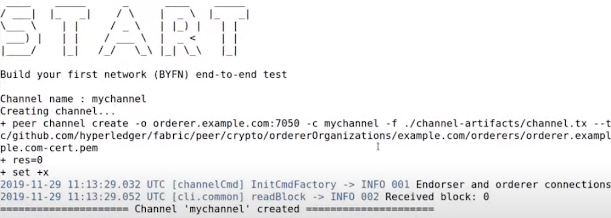
Create and deploy a block chain network using Hyperledger Fabric SDK for Java on Ubuntu 22.04 LTS

Image
Follow these steps to build your first blockchain network using hyperledger fabric sdk for java. Step 1: Check if curl is installed. Command: curl --version Command if not installed: apt install curl Step 2: Check if docker is installed. Command: docker --version Command if not installed: apt install docker.io Step 3: Check if docker-compose is installed Command: docker-compose --version Command if not installed: apt install docker-compose Step 5: Check if go is installed. Command: go version   Command if not installed: apt install golang-go Step 6: Check if nodejs is installed. Command: node –v Command if not installed: apt install nodejs Step 7: Check if npm is installed. Command: npm --version Command if not installed: apt install npm Step 8:   Check if git is installed. Command: git --version Step 4: Check if python is installed. Command: python3 --version Step 9: Configure some git properties. Command: git config ...

Installing Hyper Ledger Fabric on Windows 10

Image
Steps and links used for Installing Hyper Ledger Fabric on Windows 10 Steps for installation: 1 Open power shell in Admin mode. 2 Enable windows SubSystem for Linux dism.exe /online /enable-feature /featurename:Microsoft-Windows-Subsystem-Linux /all /norestart 3 Enable Virtual Machine feature dism.exe /online /enable-feature /featurename:VirtualMachinePlatform /all /norestart 4 Set WSL-2 as default version wsl --set-default-version 2 5 Install Ubuntu app from windows store: Open the Microsoft Store and install Ubuntu 20.04 LTS here 6 Install windows terminal It enables multiple tabs, quickly between the Linux command line and the windows command prompt. 7 Download linux kernel update package: To update the WSL package download setup at the below-mentioned link, it needs admin privilege. https://wslstorestorage.blob.core.windows.net/wslblob/wsl_update_x64.msi 8 Open Windows Terminal and add a new ubuntu tab, you won’t be able to see the ubuntu terminal. Under add new terminal section. 9...